
Enable Cart Reserve App Embed
The Cart Reserve app embed is a code snippet that connects the app to your storefront theme. It runs automatically in the background—no coding required.
The app embed allows Cart Reserve to detect cart and product elements such as add-to-cart buttons, quantity controls, and cart forms.
Why This Step Is Required
Without the app embed enabled, Cart Reserve cannot:
- Detect cart updates
- Create or update reservations
- Apply reservation logic on the storefront
This step is required for all stores.
How to Enable the App Embed
- Open Shopify Admin
- Go to Sales channels → Online Store → Themes
- Click Edit on your active theme
- Open App embeds
- Locate Cart Reserve
- Toggle it On
- Click Save
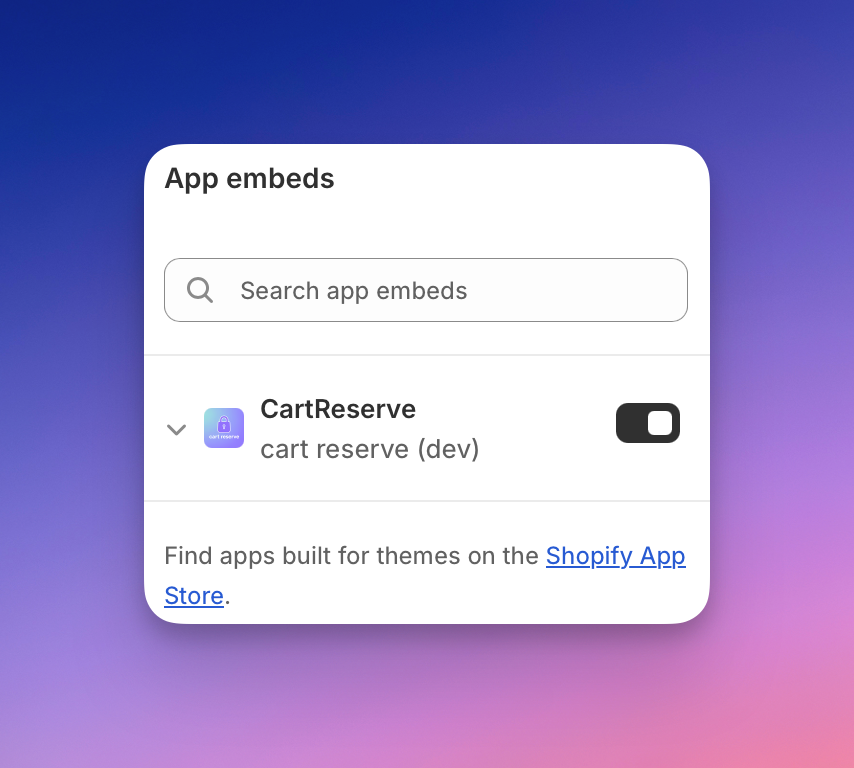
Your active theme is the one currently visible to customers. Make sure you enable the app embed on this theme.
Theme Adapter Setting
The app embed includes a Theme adapter setting that controls which theme integration Cart Reserve uses:
- Auto-detect (default) — Cart Reserve recognizes your theme automatically, including renamed copies of Theme Store themes
- Specific theme — pick your base theme manually if it's heavily customized or uploaded directly (not installed from the Theme Store) and auto-detection falls back to the generic integration
Leave this on Auto-detect unless the timer or quantity controls aren't appearing correctly.
Verification
The app embed is enabled when:
- Cart Reserve appears as enabled in App embeds
- Reservation logic runs during cart interactions
If reservations are not being created, verify that the app embed is enabled on the correct theme.
Next Step
Continue with Sync Products from Your Store.